
- announcement
Desktop beta update: version 3.20.18
Here's what's changed since 3.20.15. You can try it from your computer's browser at beta-focus.nirvanahq.com with your usual Nirvana account. It's the same data as focus.nirvanahq.com and your phone, kept in sync.
What's new
Next shows only what's next: In Next grouped by project, a sequential project shows just its next step, not the whole queue. If that step is Waiting or Scheduled, the project stays out of Next until it's ready.
Drag to move: Drag an open to-do onto any list in the sidebar, and it's saved, closed and moved in one go.
Easier on the eyes: Settings is redesigned, with better captions that explain what each setting does. The Classic theme is back too, blue app bar included.
Coming with the Mac and Windows apps:
-
App icon badge: Show your Focus count or your Due count on Nirvana's icon in the Dock or taskbar. Turn it on under Settings › Workflow.
-
Menus where you expect them: On the Mac, Settings and Quit live in the Nirvana menu, and the File menu creates to-dos and projects. A Help menu on Mac and Windows links to Getting started, Keyboard shortcuts and Ask us a question.
-
Sign in with your browser: The accounts, passwords and passkeys your browser already knows just work.
Also new
-
Attachments are now part of Nirvana Pro, up to 100 MB per file. Files you've already attached stay usable if you move back to Basic.
-
The Focus header shows today's date.
-
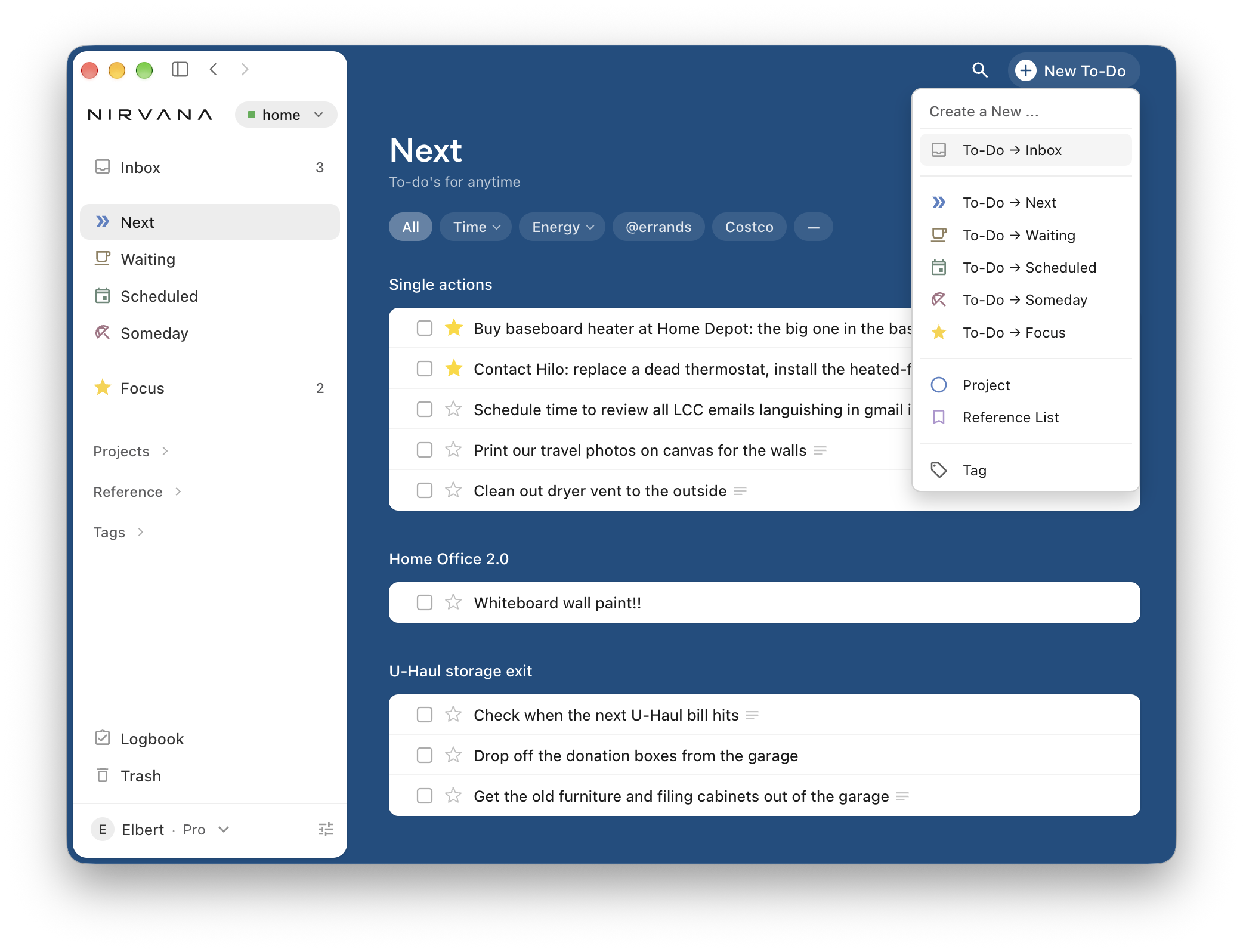
Right-click the New button to create a to-do straight into Inbox, Next, Waiting, Scheduled, Someday or Focus.
-
Clear formatting in notes removes headings, quotes, lists, bold and italic from a selection and keeps your links.
-
Due dates sit at the far right of each row, and hovering a row shows its drag handle.
-
New search filters:
is:single-action(to-dos not in a project) andhas:attachment. -
Updated "Welcome to Nirvana" tutorial project for new users, in English, Spanish, French and German.
Fixed
-
Choosing a search suggestion with the mouse now shows its results.
-
Clicking into a note no longer makes it jitter/jump, and a new checklist item after a ticked one starts unticked.
-
Reference lists and items keep their reminders. When a reminder fires, the item is starred into Focus.
-
Rows sort correctly after adding to-dos at the top on your phone.
Sprichst du Deutsch? We've reworked the German throughout the app. It uses "du" now, and the wording is more consistent we think. If German is your first language, we'd love a second pair of eyes. Reply here or send us a note with anything that reads awkwardly. Honestly, help from native French, Spanish (and English!) speakers would be helpful too.
As always, if something's not working quite as you'd expect, or if you have ideas for what we might consider next, please let us know.
